Inbox2Invoice. Email in, invoice created, time gained. Bespoke automation for bookkeepers.

For UK bookkeepers

When the email arrives, the invoice is already underway

Email in → Invoice created → Time gained

Inbox2Invoice reads the job emails on your PC, copes with the messy ones, and raises the QuickBooks invoice — including CIS reverse charge. Your books stay on your computer.

Email inJob note, PO, or wages list
Invoice createdPDF and QuickBooks
Time gainedYou check, not retype

Illustration, not a customer result

An example week on one PC

These counts are a picture of the idea. They are not measured from a practice, and they are not a promise.

0job emails in the example inbox
0invoices drafted from those emails
0client files uploaded to us

Watch a messy email become an invoice

The message types itself. Edit it, or choose another fictional email. Parsing happens in your browser. Nothing is sent.

Rough job note

    How it works

    It runs on the bookkeeper’s Windows PC. Scroll and the screen changes with the step. Nothing about the client’s jobs is uploaded to us.

    1

    Mail lands

    IMAP, POP3, or Microsoft 365. Forwarded purchase orders and rough job notes are both in scope. If a message is too messy, it waits.
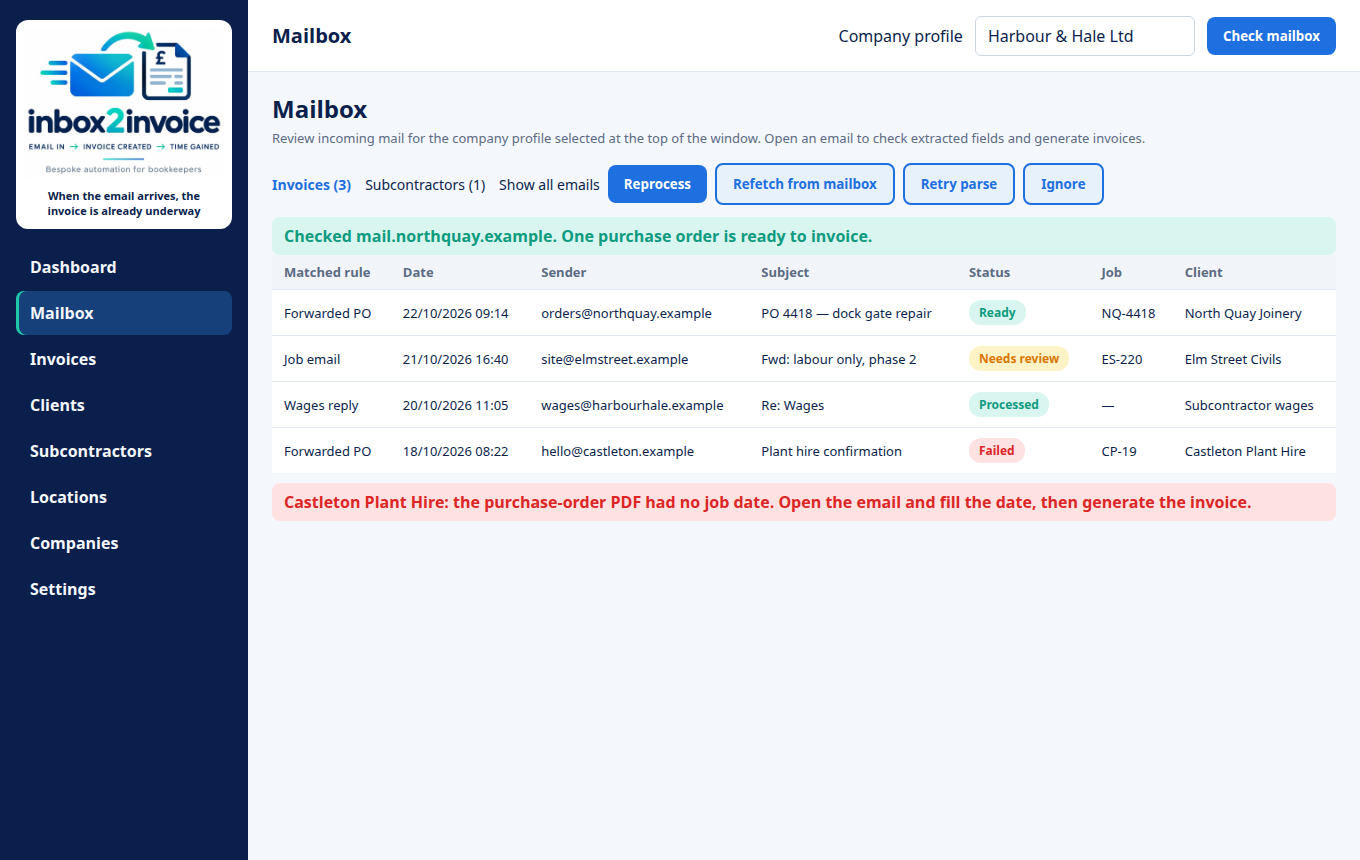
    Mailbox for the fictional practice Harbour and Hale Ltd

    2

    The invoice is raised

    An ERS or subcontractor PDF is prepared and the QuickBooks Online invoice or expense is created, with CIS reverse charge where that rule applies.
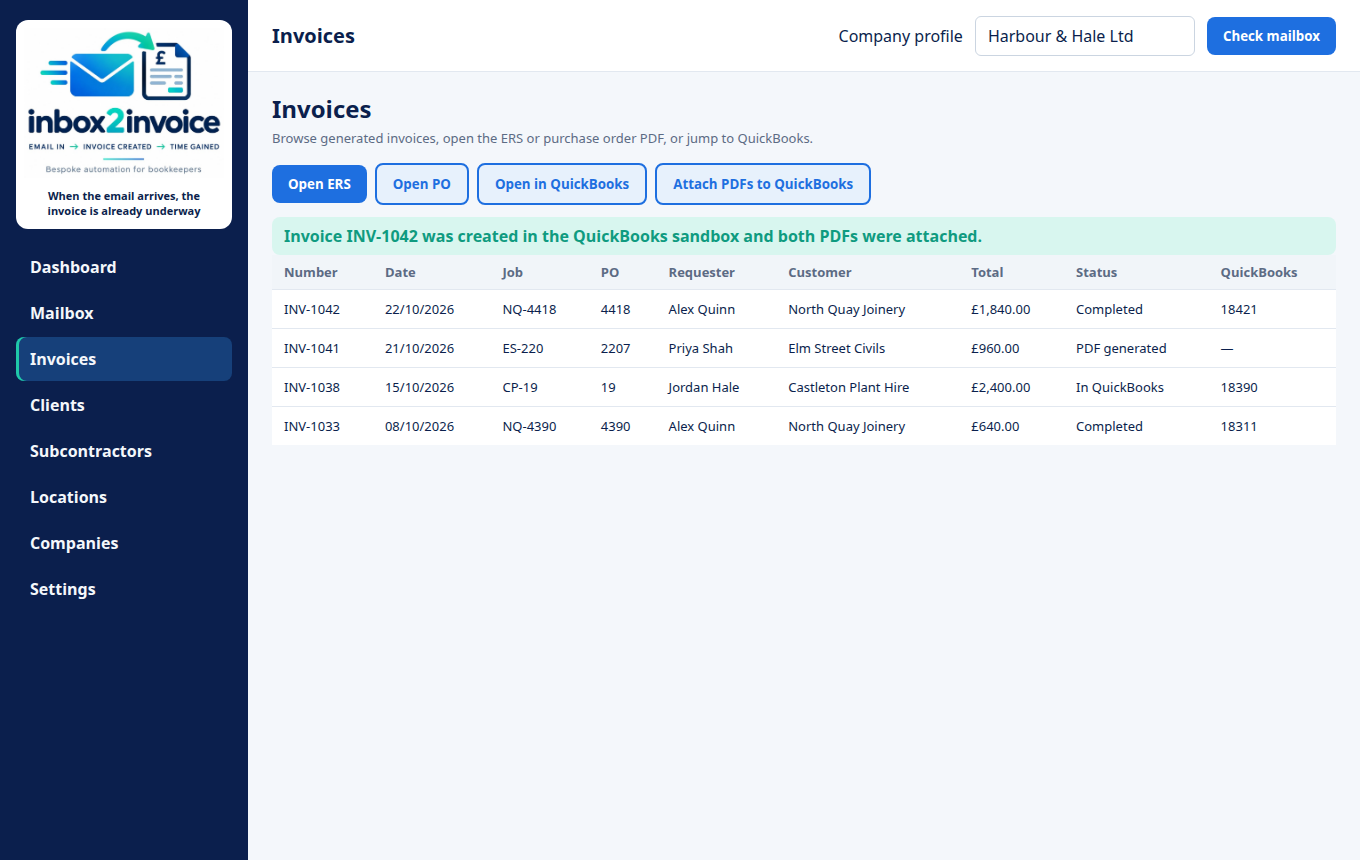
    Invoice list for Harbour and Hale Ltd

    3

    Friday still happens

    A Windows task emails the wages list even when the window is closed. The reply becomes a PDF for each person and a matching expense.
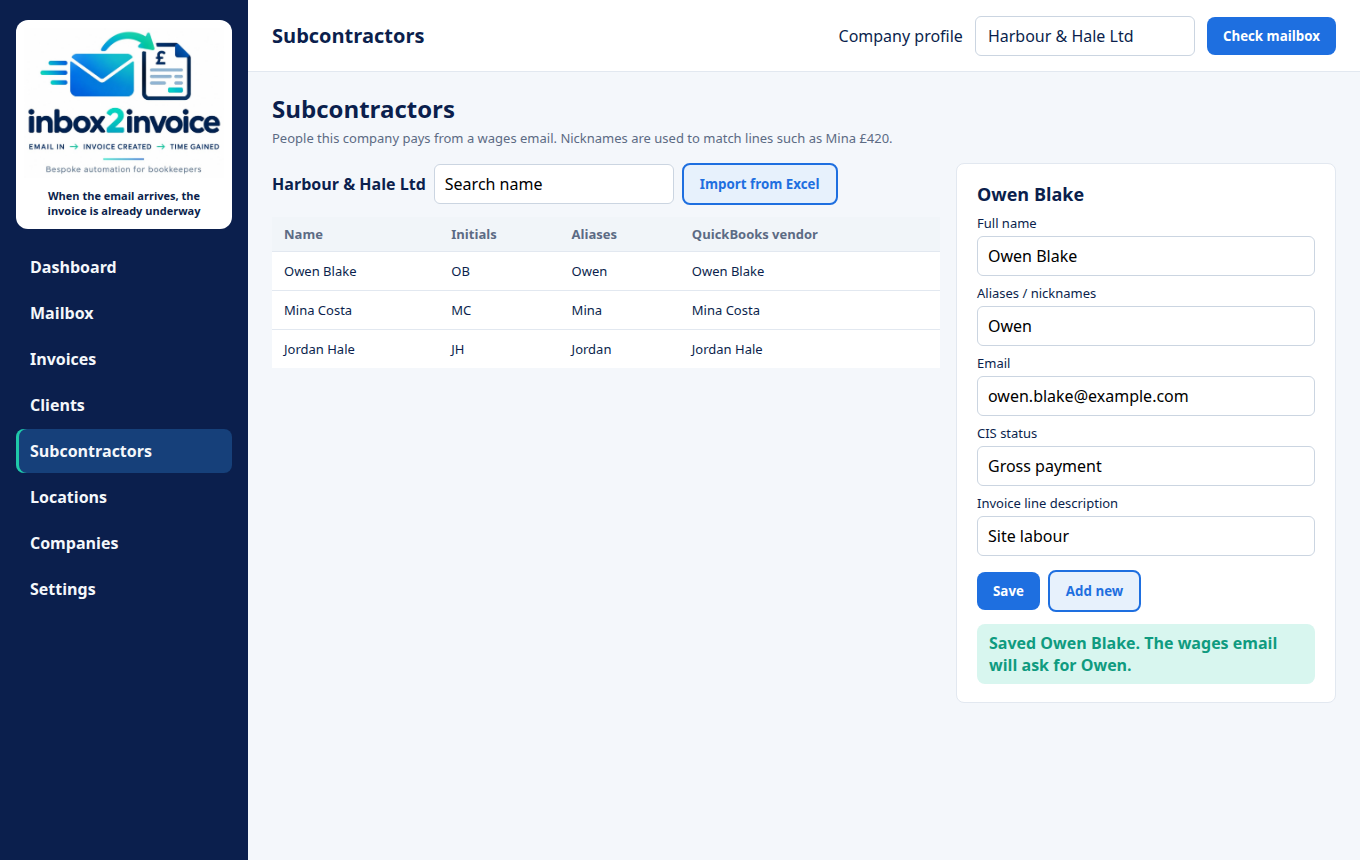
    Subcontractor editor for the fictional person Owen Blake

    4

    Open the number

    The dashboard is not a poster. Each count opens the emails or invoices it came from. The books stay in the Windows profile on that PC.
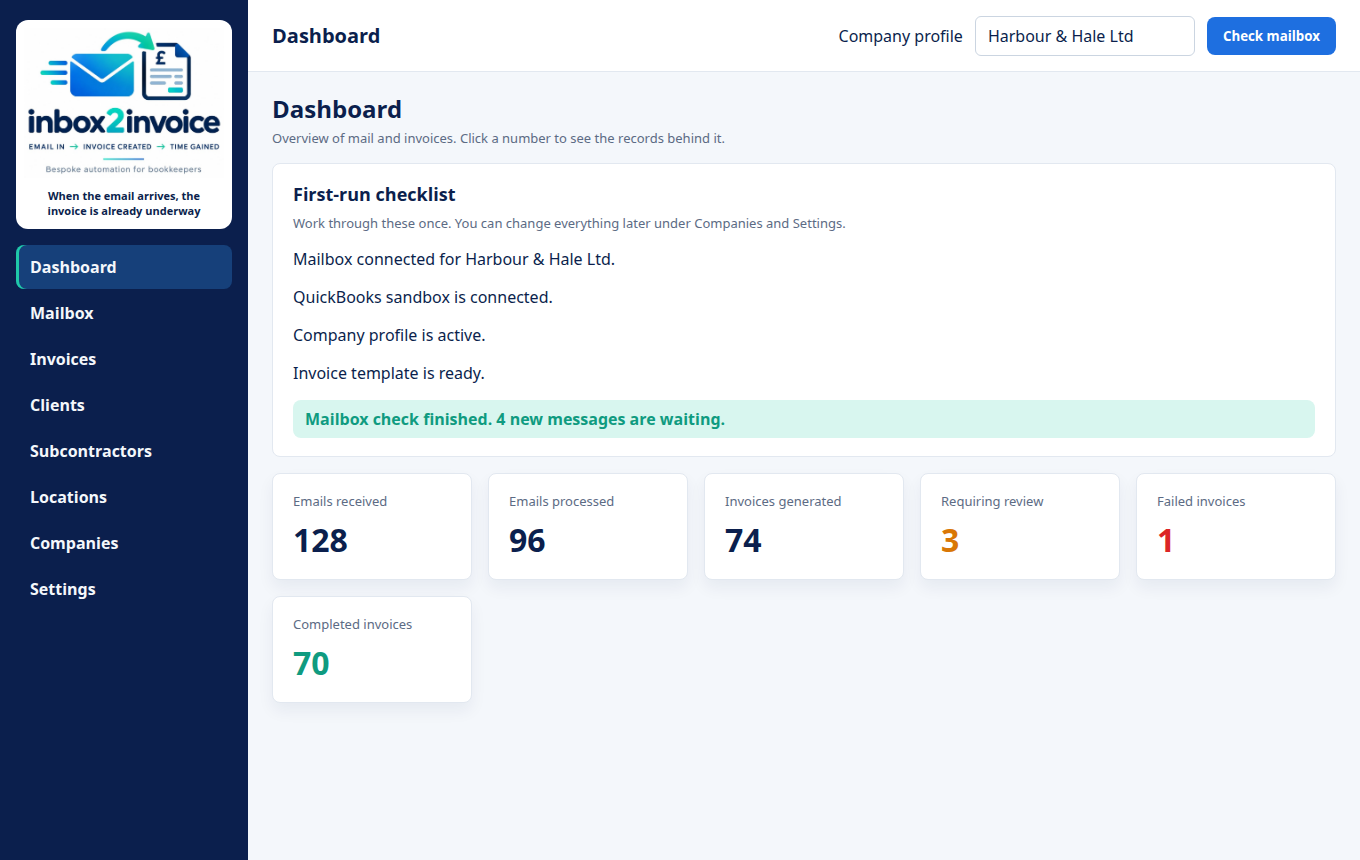
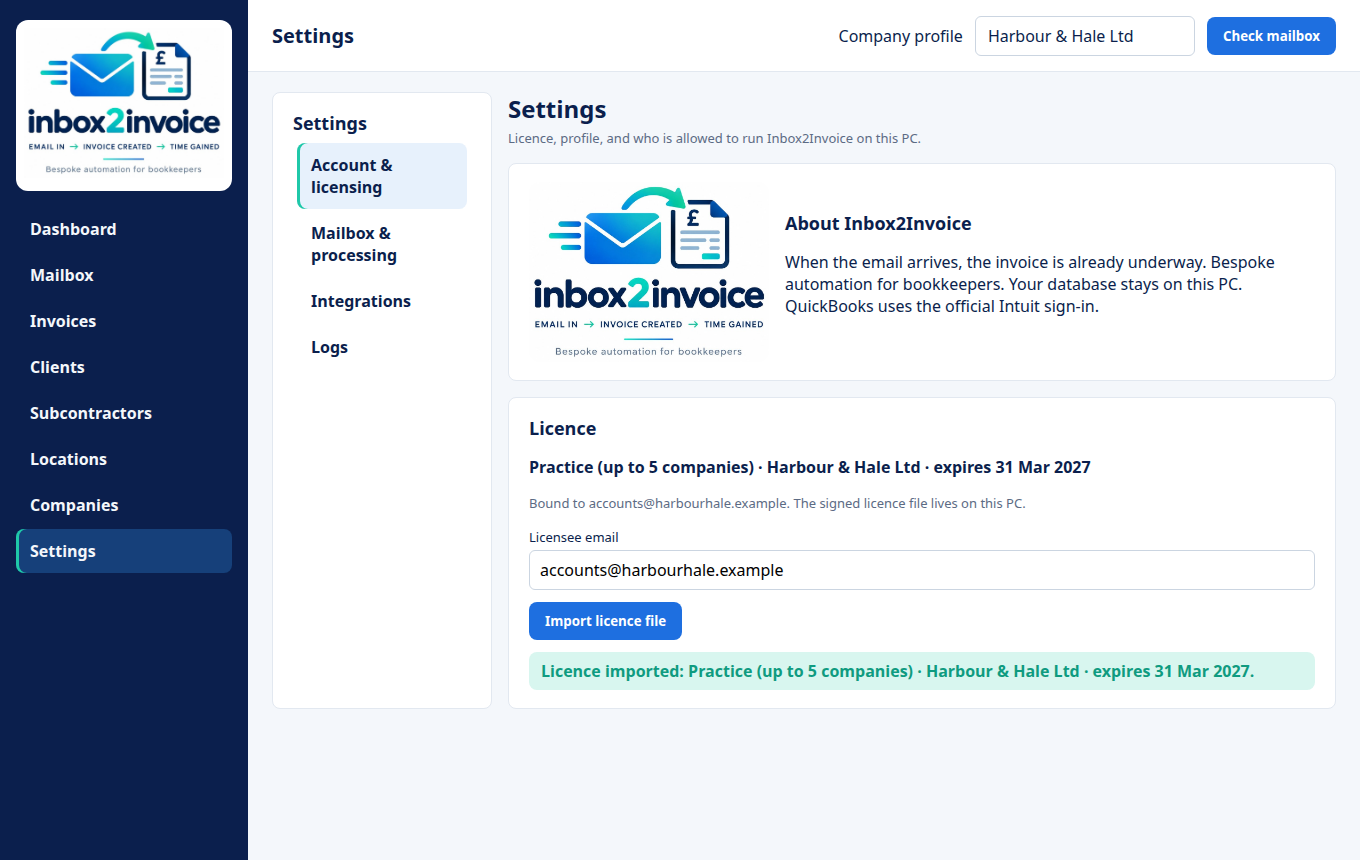
    Dashboard counts for Harbour and Hale Ltd
    Mailbox for the fictional practice Harbour and Hale Ltd
    Mailbox. A result sits under the list.

    A tour of the window

    Fictional practice: Harbour & Hale Ltd. Pick a screen, then a numbered spot.

    Dashboard with mail and invoice counts for Harbour and Hale Ltd

    Who it is for

    UK bookkeepers

    Practices that turn a client’s job emails into invoices every week, and want that hour back without sending the ledger to a cloud app.

    Construction and CIS

    Businesses that invoice labour under the Construction Industry Scheme, including reverse charge, and pay subcontractors from a wages email.

    Built for the inbox you actually have

    Messy emails

    Forwarded threads, short notes, and uneven layouts. What cannot be read safely is held for review.

    QuickBooks invoices

    Official Intuit sign-in. CIS reverse charge can be applied from the rules you set, not from a retype.

    Subcontractor PDFs

    A wages reply becomes a PDF invoice for each person and a matching QuickBooks expense.

    Wages reminder

    The Friday email goes out even when the window is closed. If the PC was off, Windows sends it at the next sign-in.

    Dashboard you can open

    Every count on the dashboard opens the emails or invoices behind it.

    Stays on your PC

    The database, PDFs, and mail secrets stay in your Windows profile. QuickBooks is the only books system it talks to.

    Time and money calculator

    Put in your own numbers. This multiplies them. It is not a measured saving and not a guarantee.

    Your inputs, not our claim

    Hours in a year0
    At that rate£0

    Hours are invoices × minutes × 52, divided by 60. The pound figure is those hours times the rate you typed.

    Annual pricing

    One licence per business, on that installation. It renews each year. The introductory price is what you pay now. The monthly line is that price divided by 12. You are billed yearly, not monthly.

    Introductory price

    Solo

    £18.99 / year

    Normally £22.99

    About £1.58 a month, billed yearly

    • 1 company
    • Annual licence, renews yearly
    • Mailbox to invoice and QuickBooks
    • Updates for the year

    Introductory price

    Firm

    £99 / year

    Normally £149

    About £8.25 a month, billed yearly

    • 20 companies
    • Annual licence, renews yearly
    • The same features on every company
    • Updates and email support for the year

    Introductory price

    Unlimited

    £189 / year

    Normally £299

    About £15.75 a month, billed yearly

    • Unlimited companies
    • Annual licence, renews yearly
    • No company cap on the file
    • Updates and email support for the year

    Prices are per year, in pounds. Read how licensing works, including renewal and what happens when a licence expires.

    Review slots

    Example only. These are not real customers, quotes, or results. A review will be published here only after that person agrees.

    Example

    A bookkeeper’s own words would go in this card, after they agree to be quoted.

    Placeholder · UK bookkeeper

    Example

    A construction office’s own words would go here. Nothing in this card is a testimonial.

    Placeholder · CIS business

    Example

    A line about the Friday wages email would go here, written by the person who uses it.

    Placeholder · practice owner

    Questions

    Does my client data leave this PC?

    No. The database, PDFs, and mail passwords stay in your Windows profile. QuickBooks is reached with Intuit’s own sign-in. See the privacy policy.

    What if an email is incomplete?

    It stays in the mailbox list for review. You correct the field and then create the invoice. It is not posted as a guess.

    What QuickBooks does it use?

    QuickBooks Online, sandbox or live, through the official Intuit connection. The Intuit app name and redirect address you already registered stay as they are.

    Will an upgrade wipe the existing database?

    No. The data folder and database file keep their current names, and settings beside the program are still read. A wages task under the previous product name is replaced the next time you open the app.

    What happens when the licence expires?

    A licence is annual. On the day after the end date the app says it has expired and will not add another company profile. The records already on the PC stay there. Import a renewed file for the next year to restore the company cap. Detail is on the licensing page.

    How many companies does each licence cover?

    Solo covers 1 company at £18.99 a year (normally £22.99). Practice covers 5 at £49.99 (normally £59.99). Firm covers 20 at £99 (normally £149). Unlimited has no company cap at £189 (normally £299). Each price is for one year and the licence renews yearly. The cap written on your file is the one the app enforces.

    See it on a messy inbox

    Tell us how the job emails arrive today. We will show Inbox2Invoice against a fictional sample, then talk about a licence for your practice.

    Email hello@inbox2invoice.example

    Replace hello@inbox2invoice.example with the real address before you publish this site. That example address is not a mailbox.